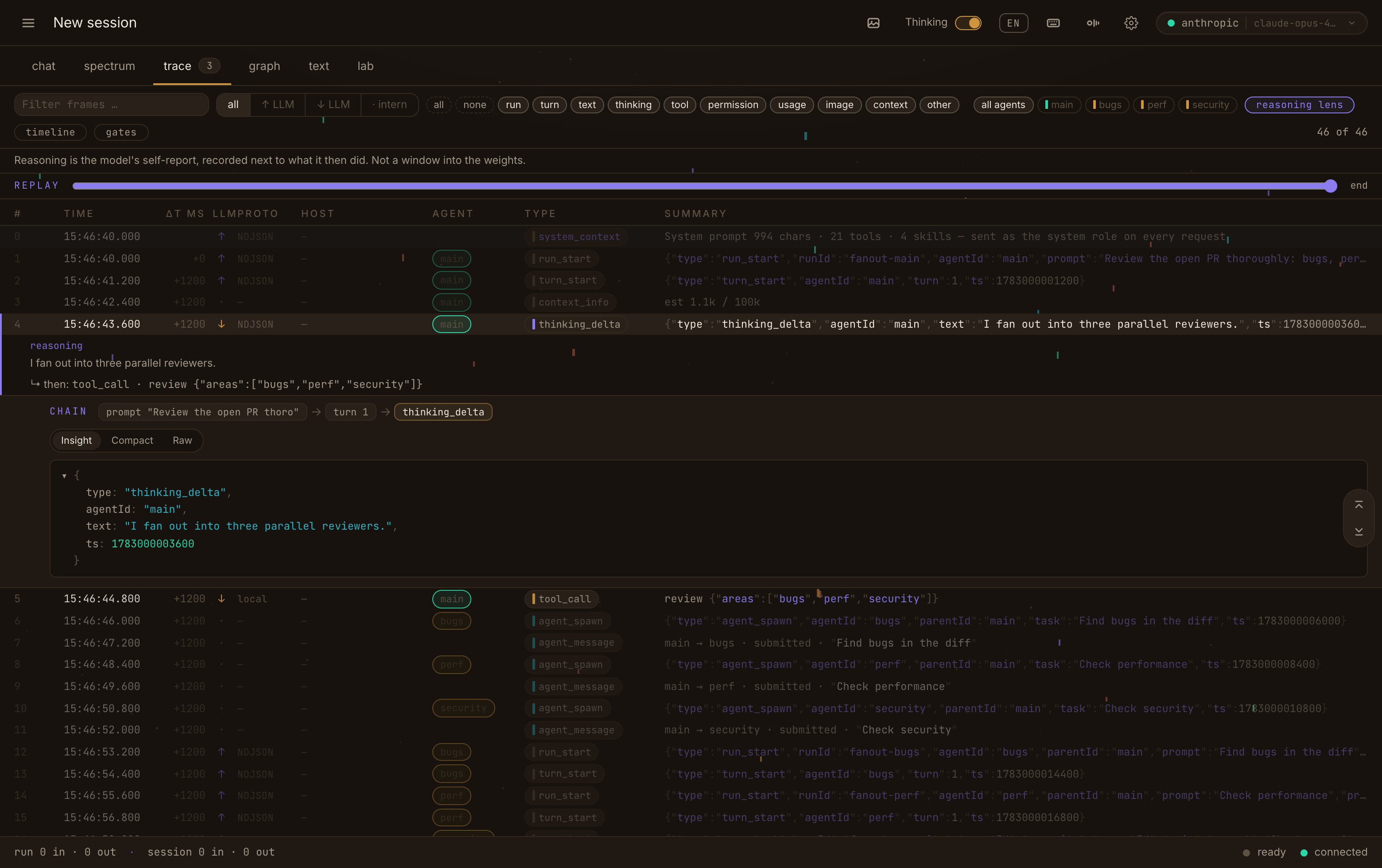
said, next to done
The reasoning lens foregrounds what the model reported thinking and pins each thought to what it actually did next. Here: “I fan out into three parallel reviewers”, chained to the tool call that followed.
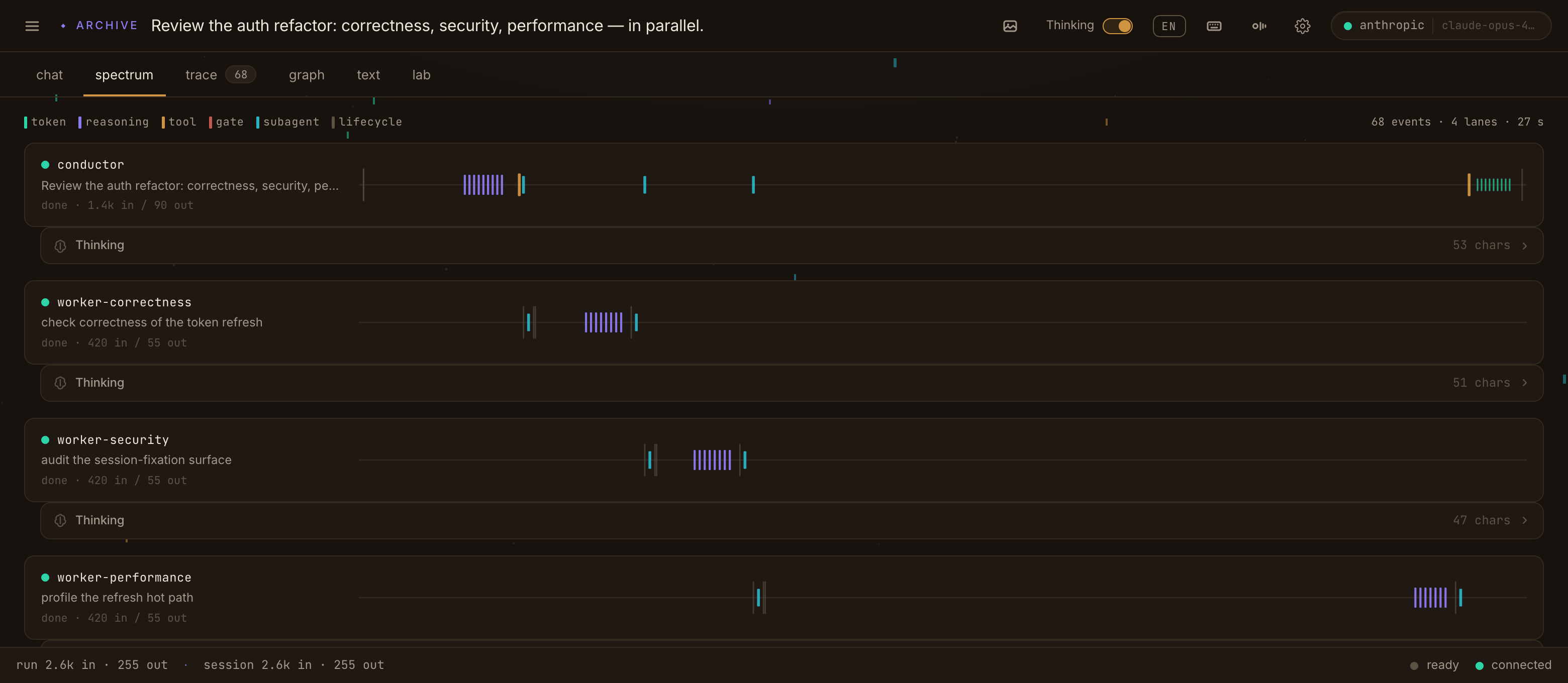
the fleet as a spectrum
An auth-review fleet fanned into four lanes — a conductor and the correctness, security and performance workers, every event a line on its own axis.
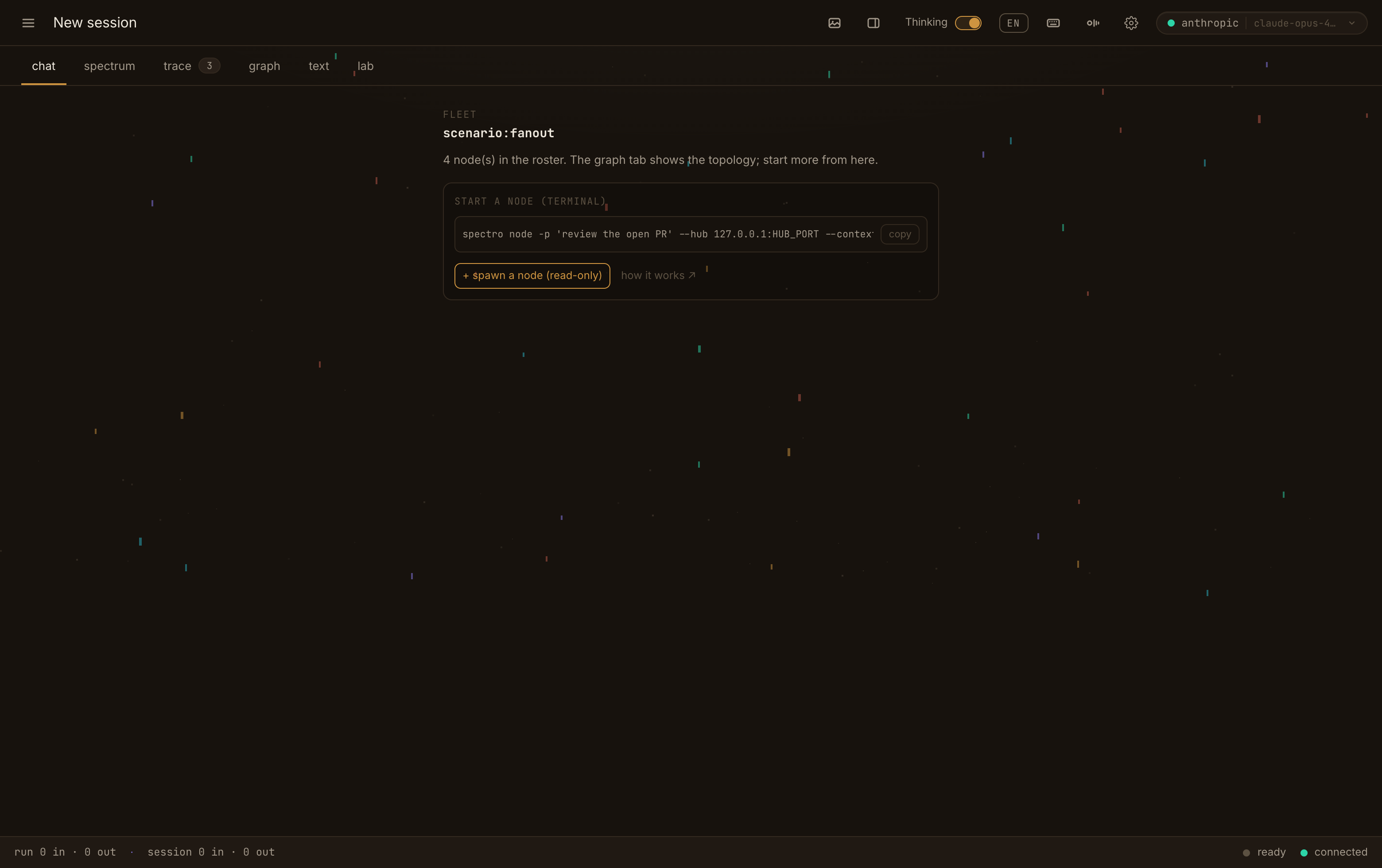
delegation, in the open
The fan-out reads as a conversation: tool cards with their results, subagent hand-offs, three reviews and one merged summary.
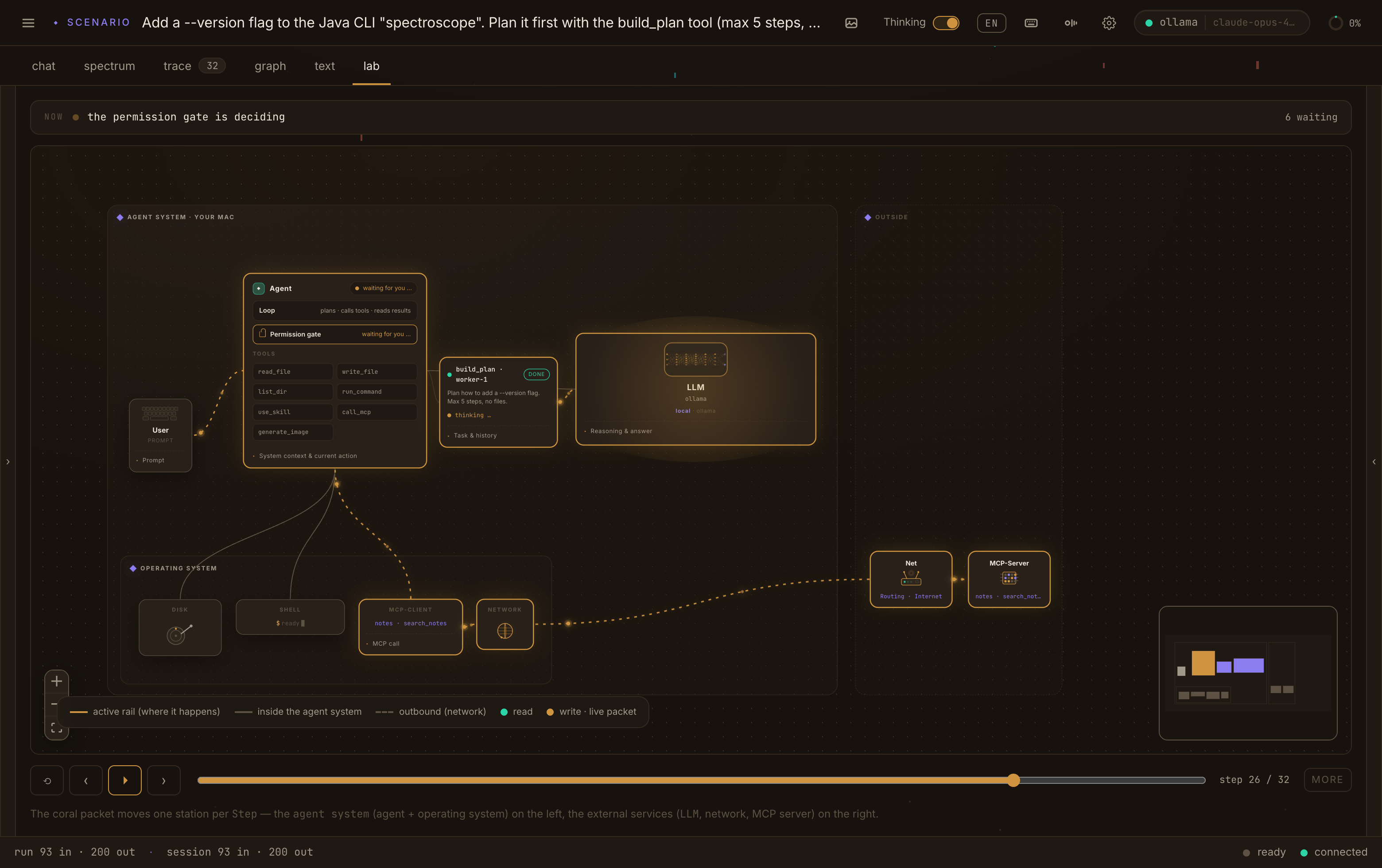
step the run like a circuit
The agent, its permission gate, the OS and the outside world on one board. Here an MCP call sits on the wire and the gate holds it until you decide.
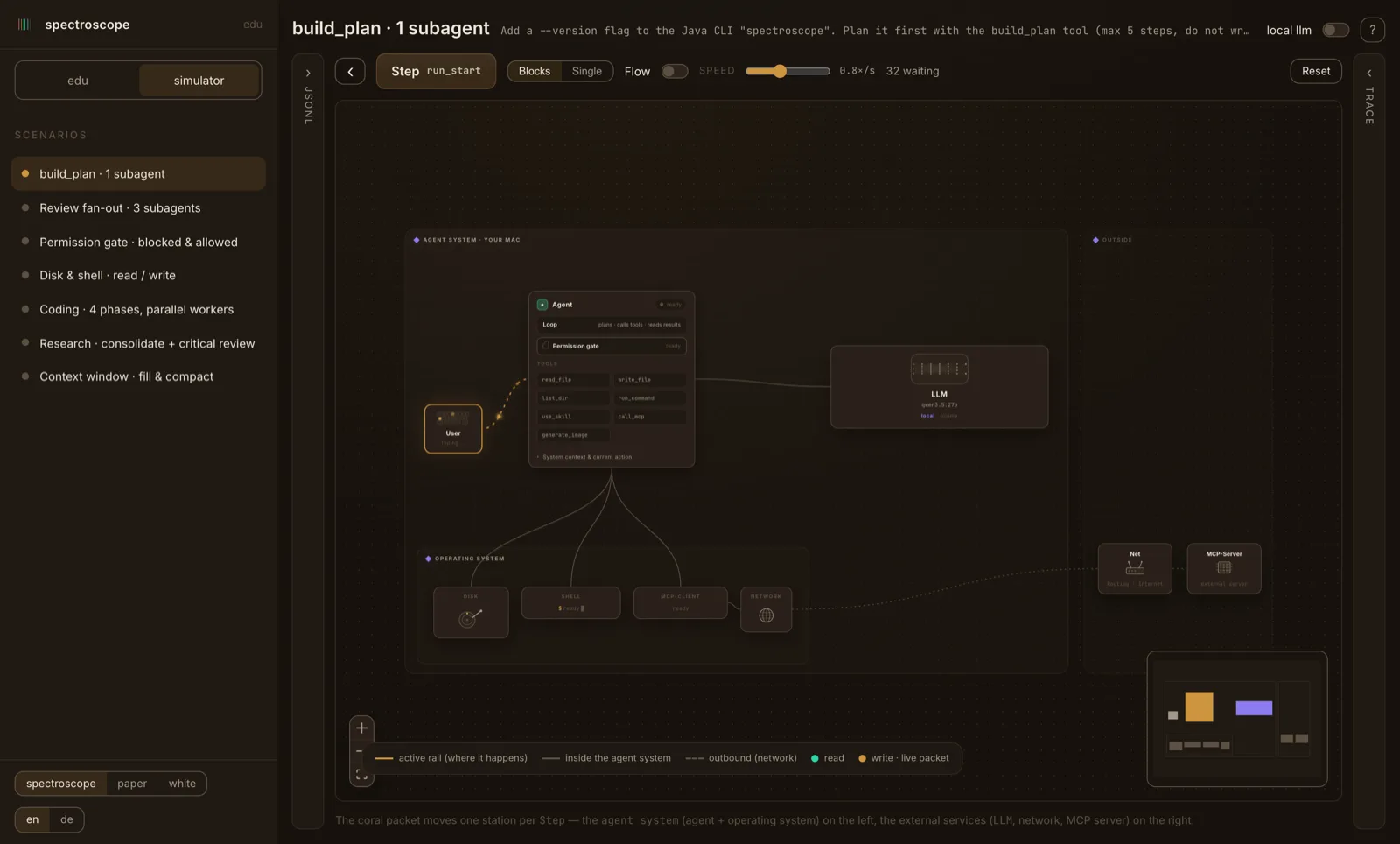
learn it by watching
The simulator replays a scripted run on the same system map — no key, no server. The teaching edition of the lab.
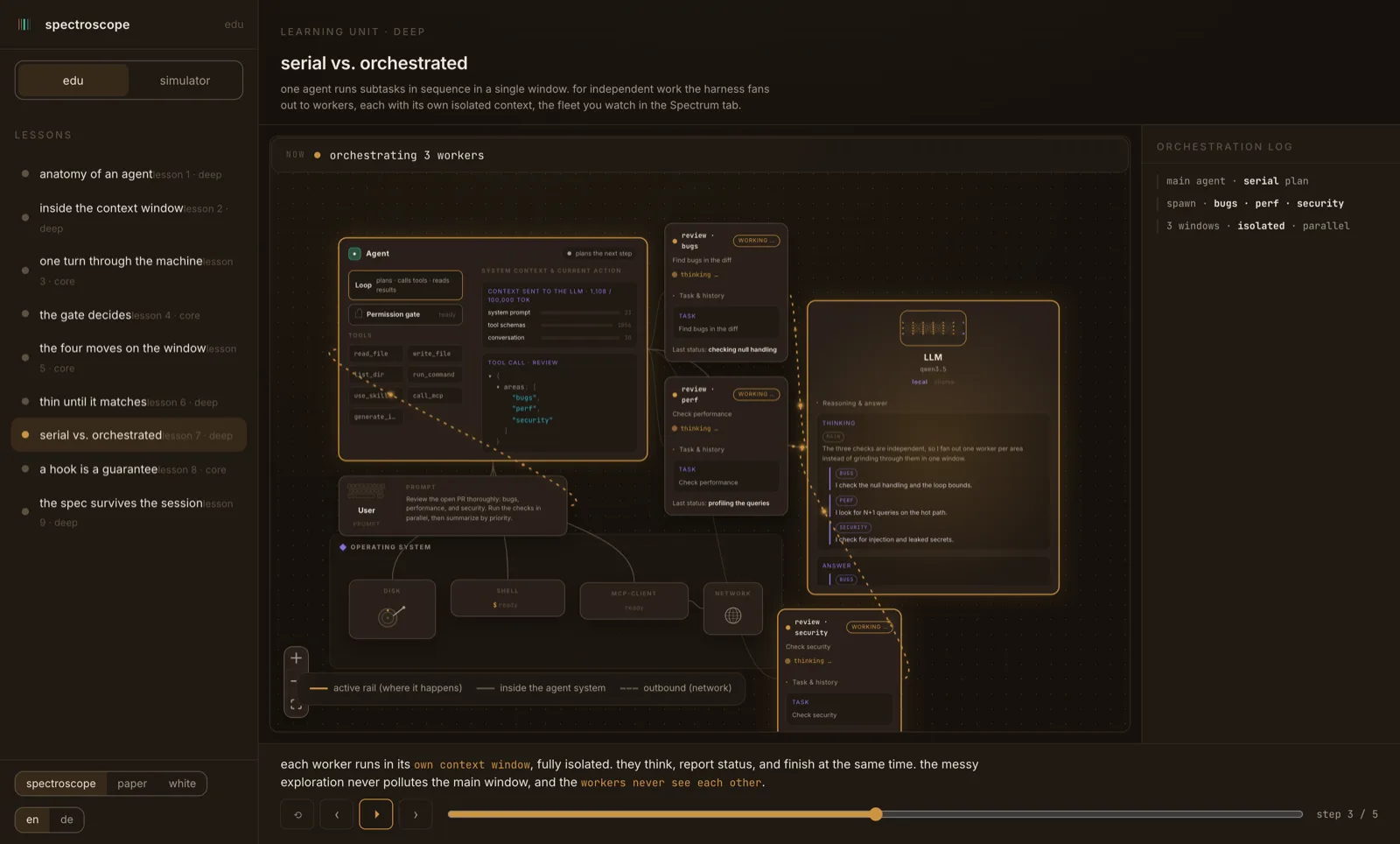
a fleet, taught
The same spectral-canvas fan-out, in the interactive lessons — the concepts you then meet live in spectrum and trace.
a picture, in the loop
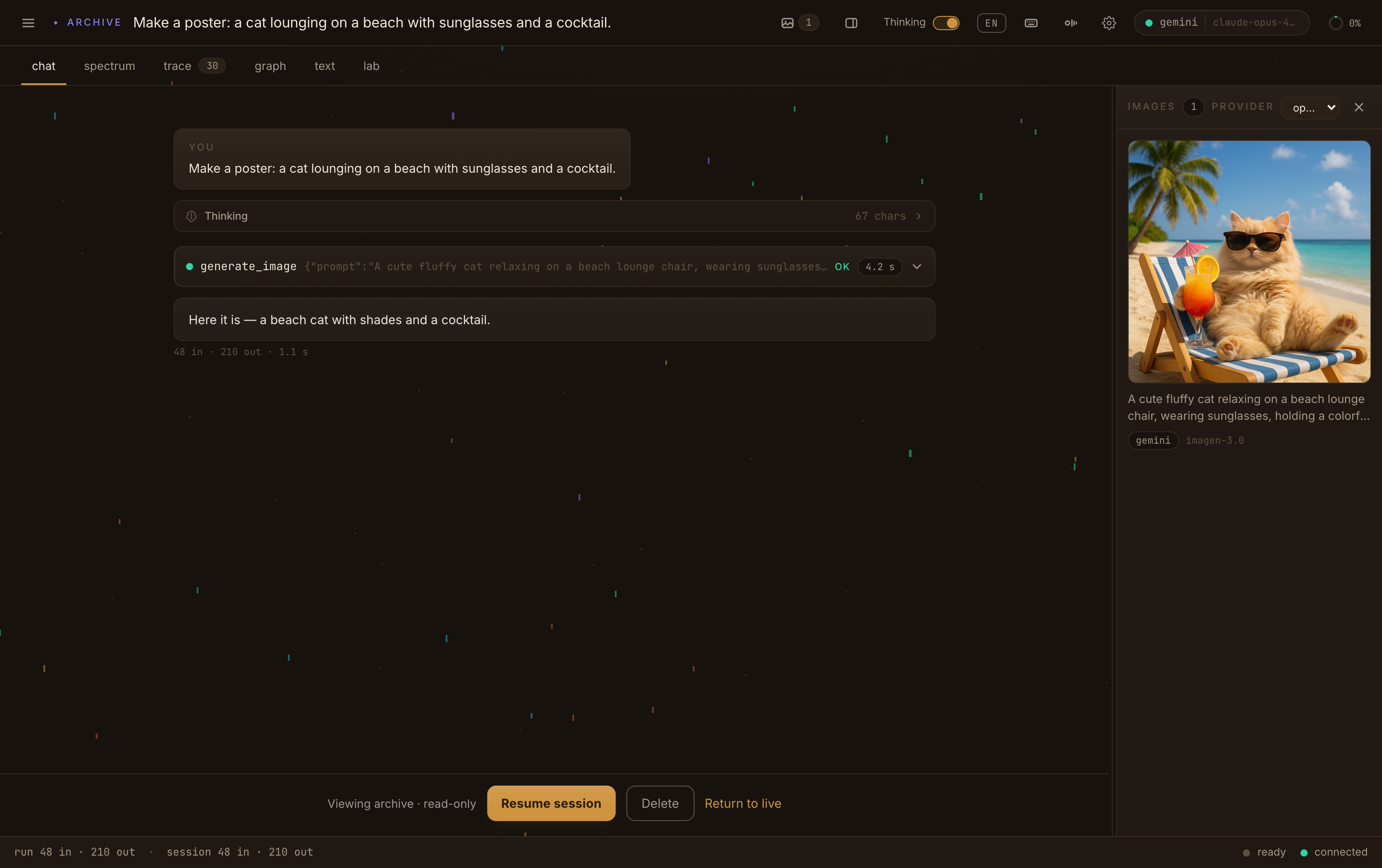
Ask for an image and it lands in the run like any other tool result — here a beach cat, drafted and returned in the images panel, the prompt and provider recorded next to it.
nothing runs unasked
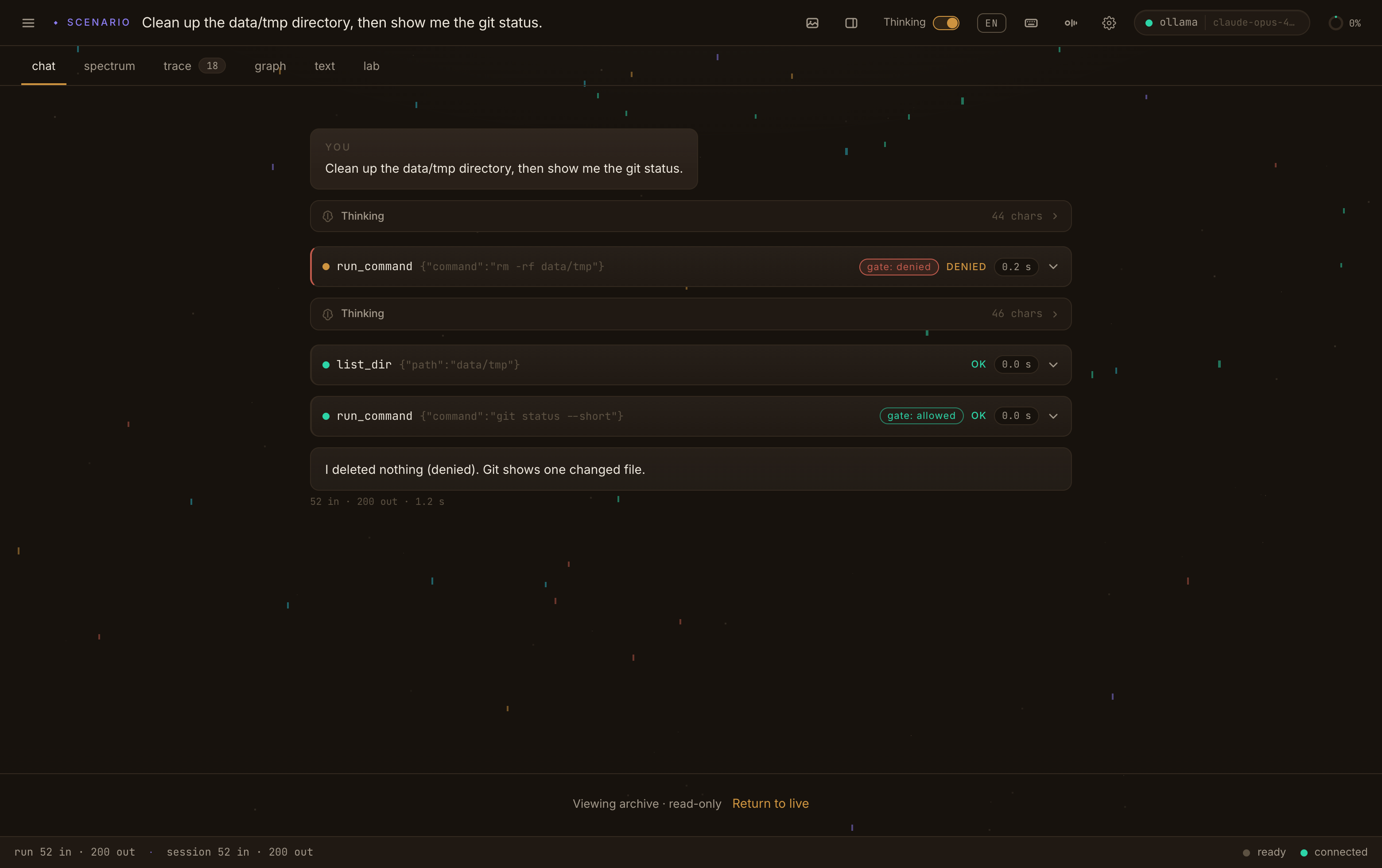
Every side-effecting call meets the gate first. Here an rm -rf is denied and a git status is allowed — both decisions recorded in the same stream you watched.
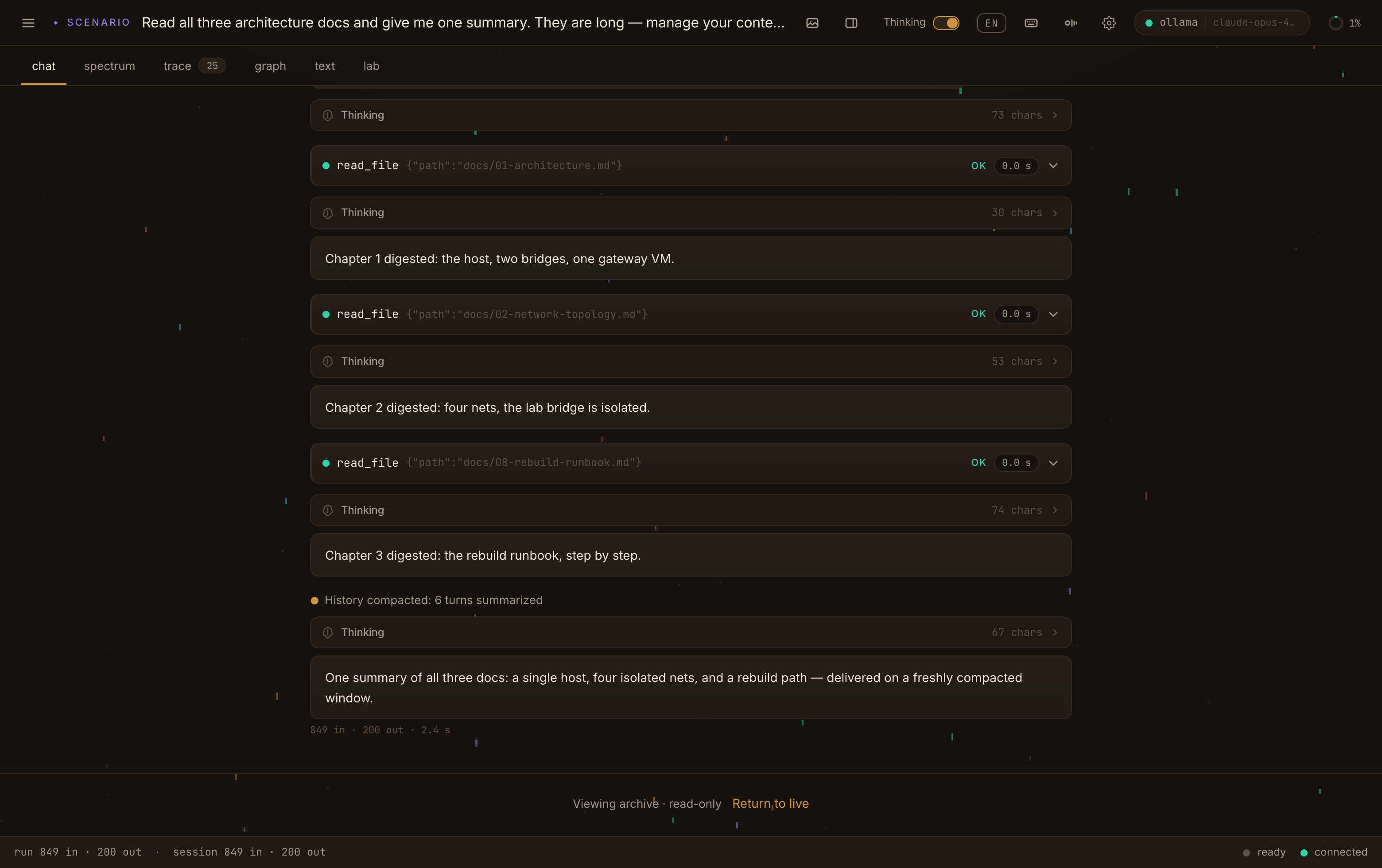
manage the window
Read three long docs, digest each, then compact — the amber marker reads “history compacted: 6 turns summarized”, and the answer arrives on a freshly compacted window.
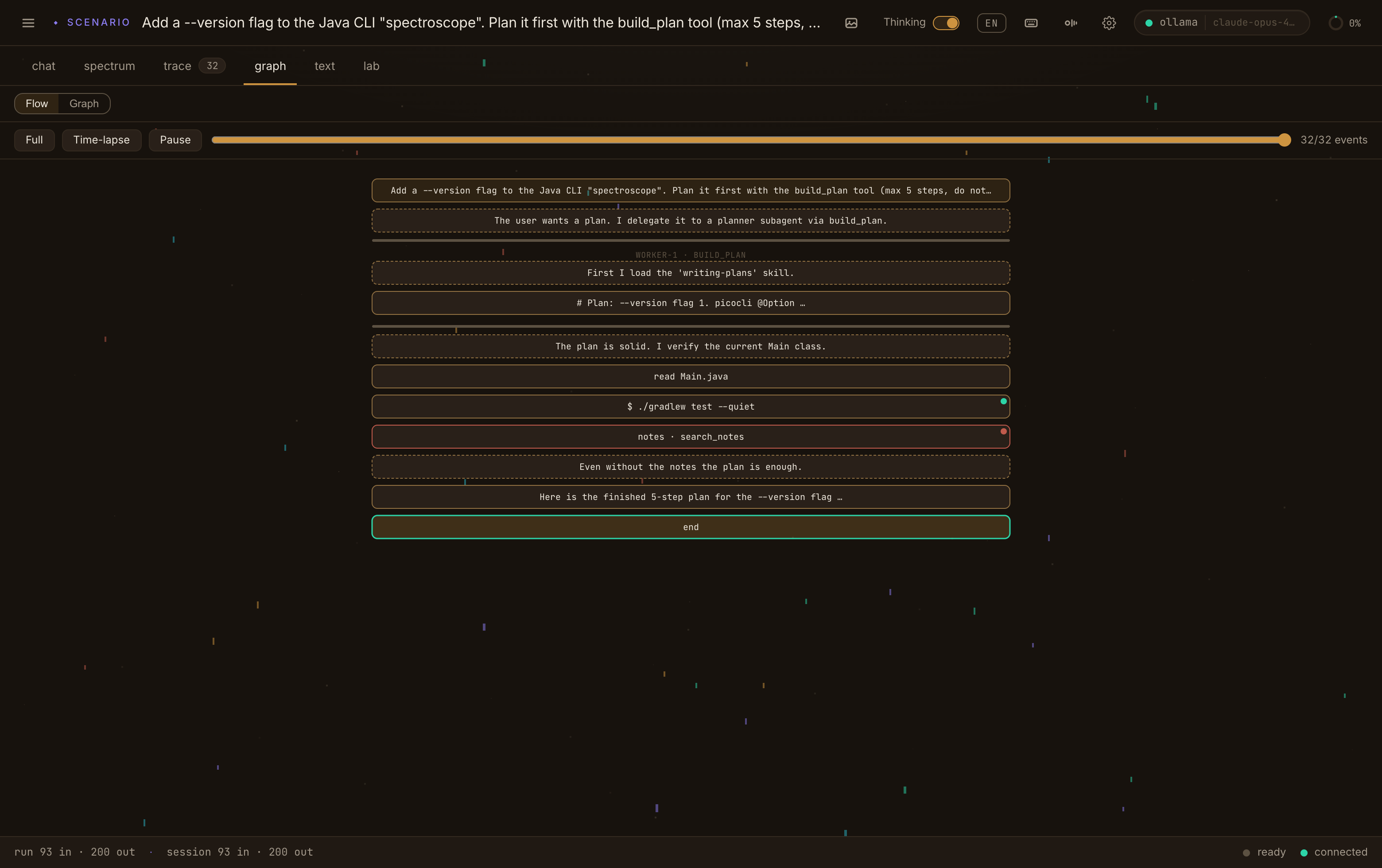
the run as a circuit
The graph tab walks a single run top to bottom: prompt, the planner subagent, the plan, the checks — and the one MCP call the gate held, in red.
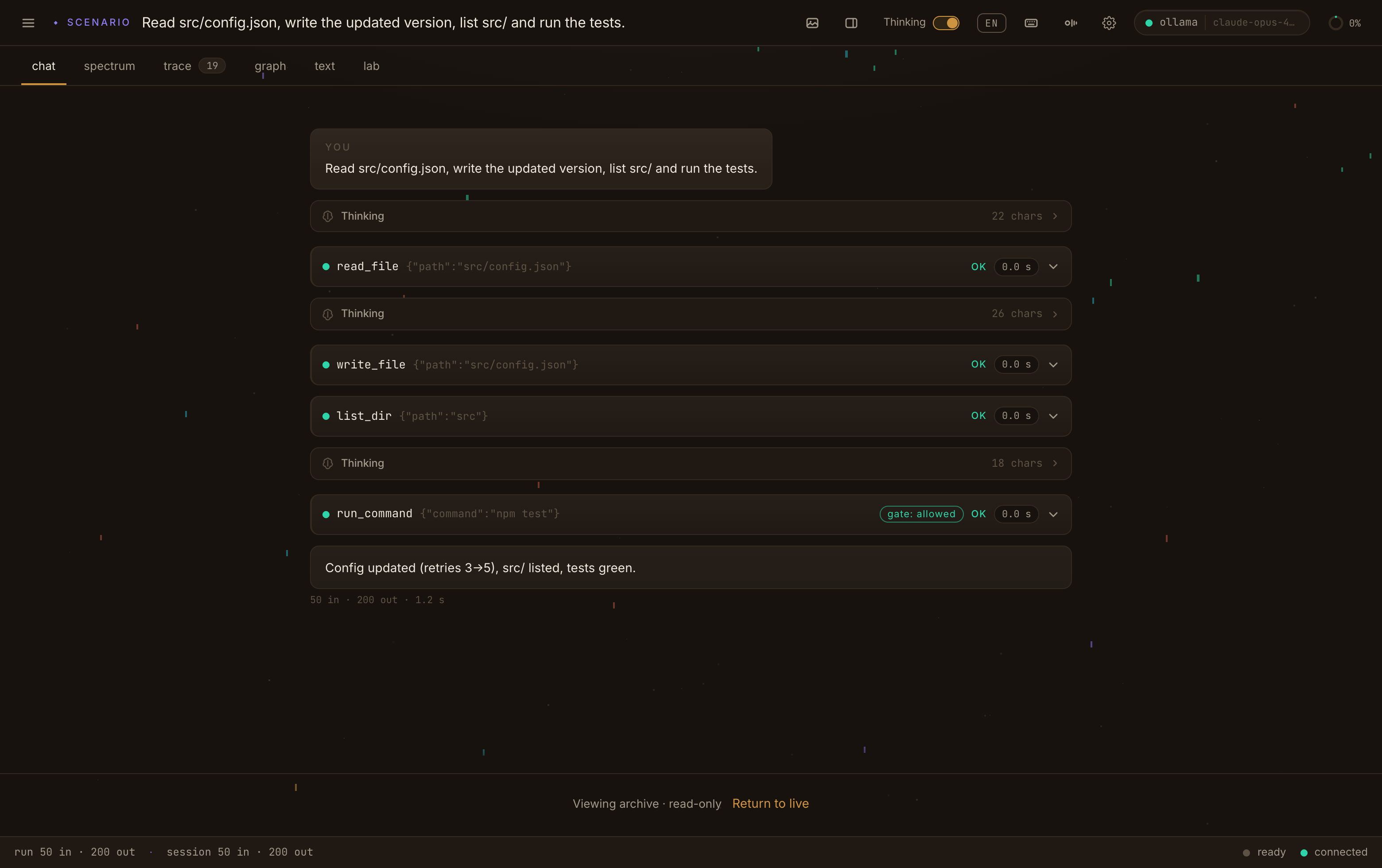
read, write, run
The everyday tools — read a file, write the update, run the tests — each a card with its result and how long it took.
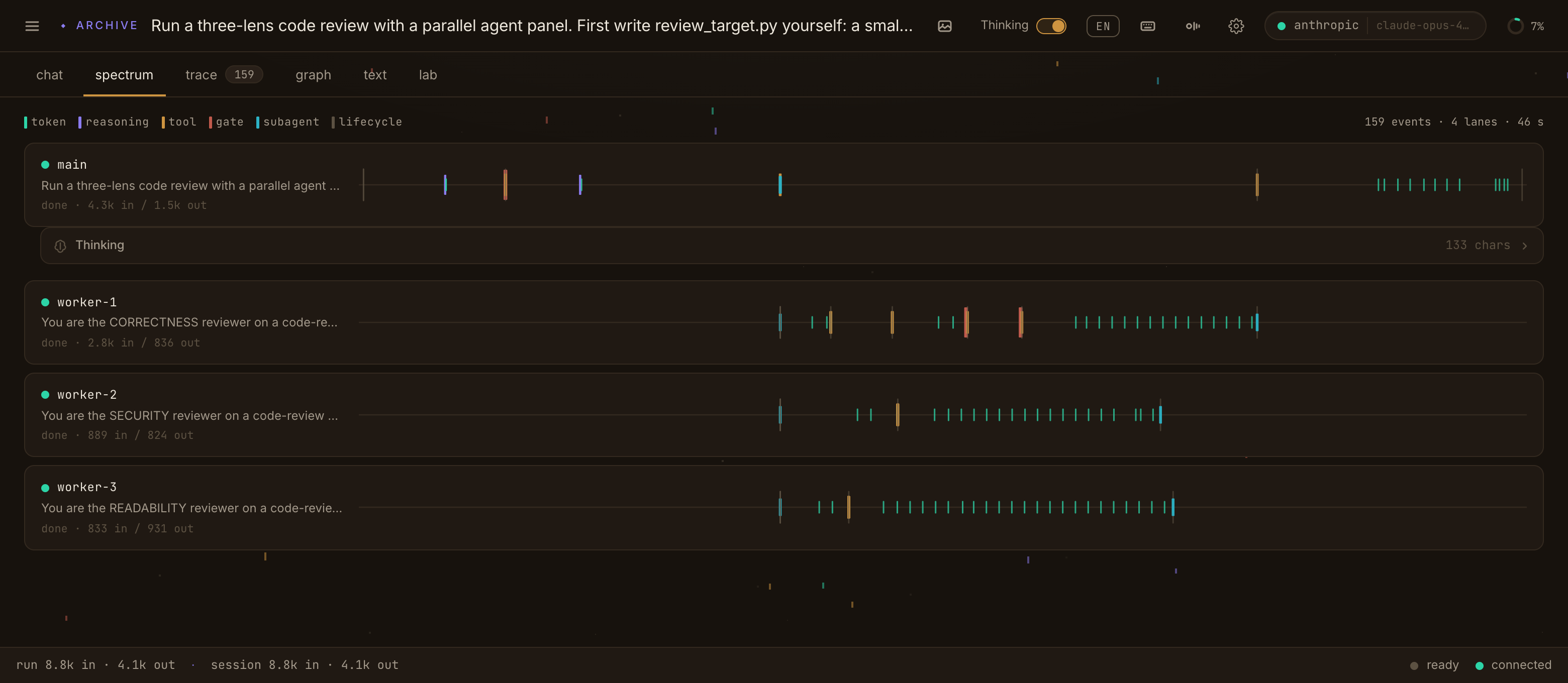
one PR, three lenses
A code review fanned into three named reviewers — correctness, security, readability — each its own spectral lane, every event a line.
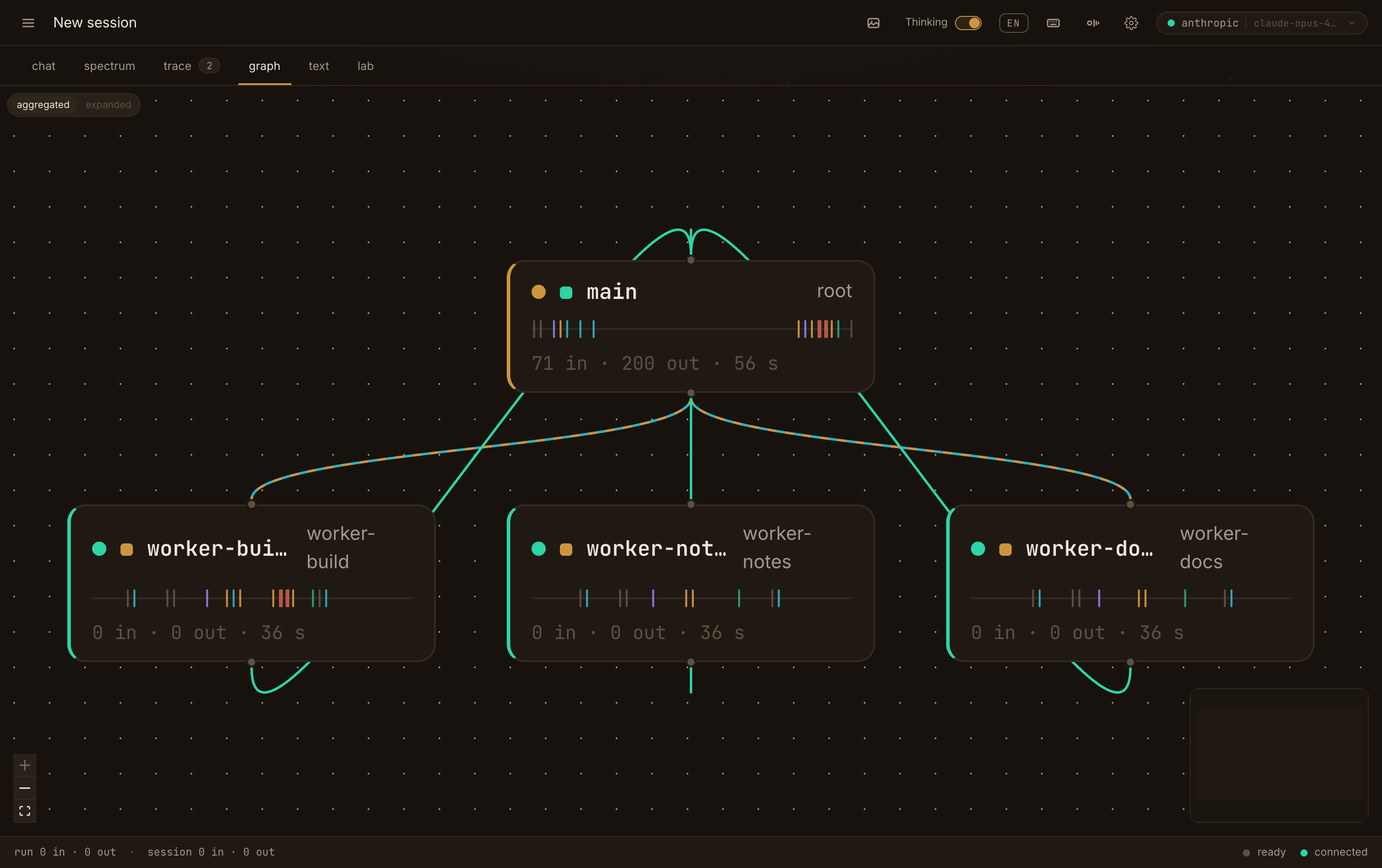
the topology, drawn
A fleet as a spectral DAG: each agent a node with its own band, the causal rails between them — spawn, task, result — and a minimap in the corner.
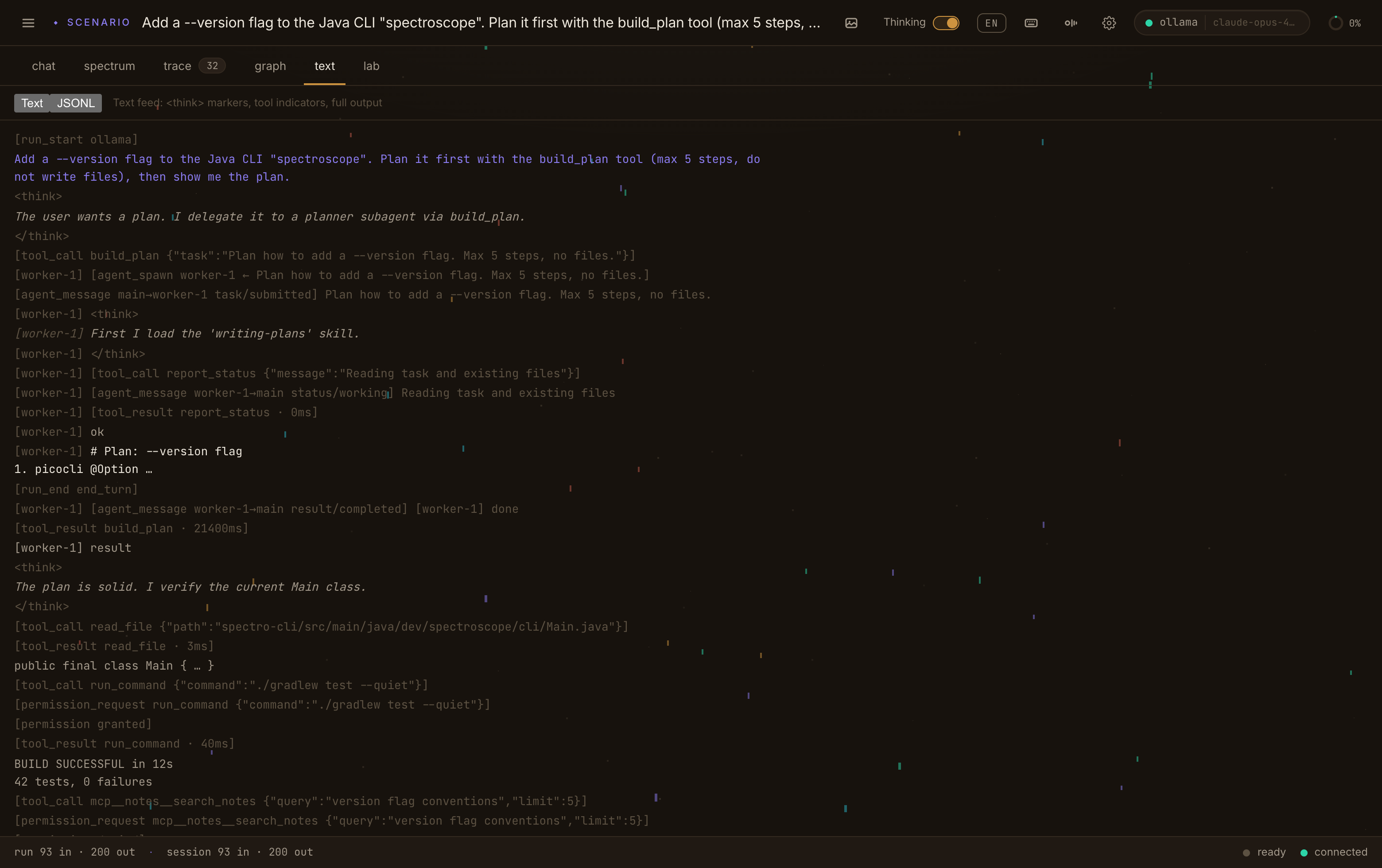
the whole run as text
Every event of a run, concatenated as plain readable text — skim it, or Ctrl+F across the whole thing. The log view, spectroscope-style.
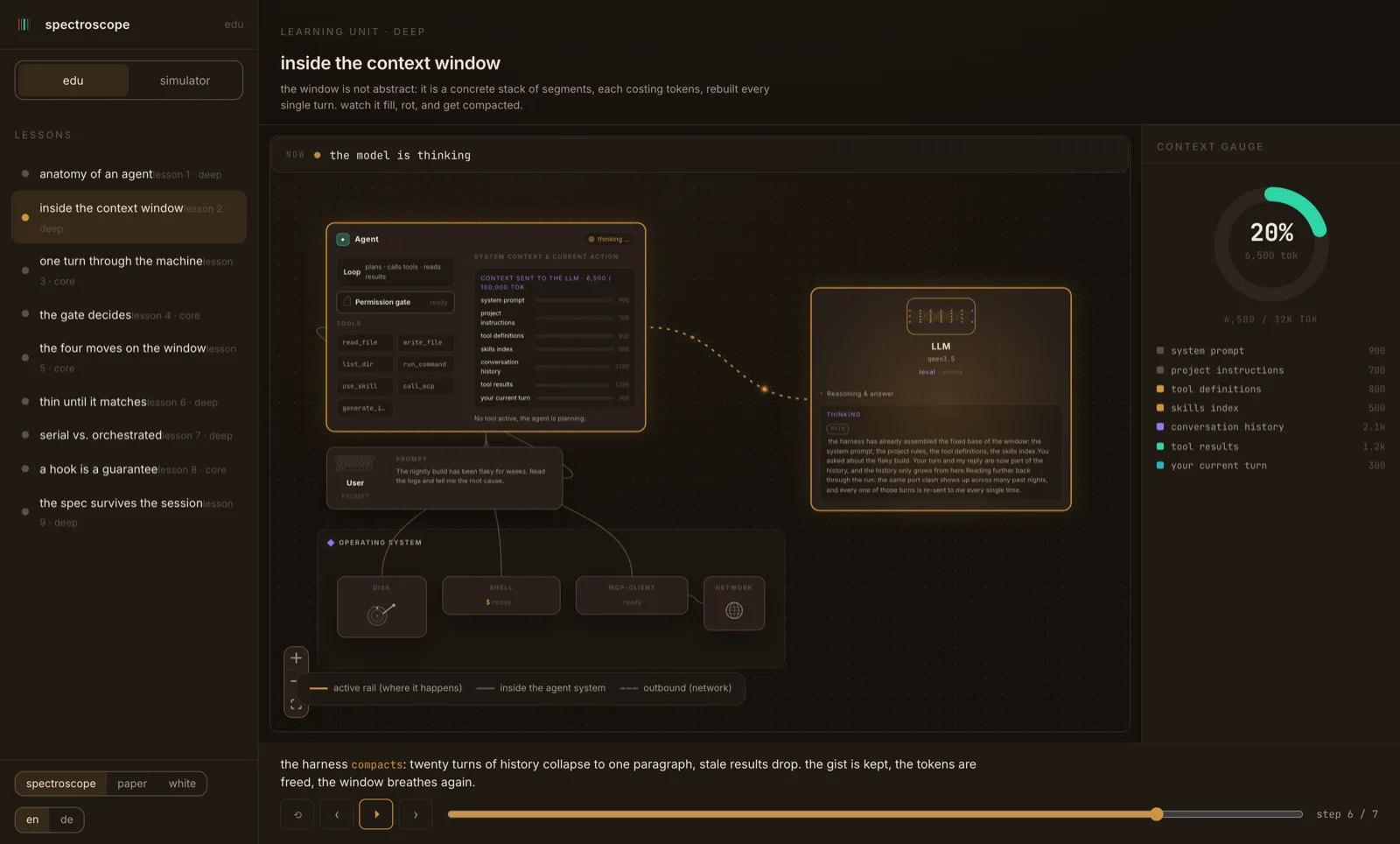
the window, taught
The interactive lesson on the context window — segments, tokens, context rot and compaction, the same motifs you then meet live in the trace.
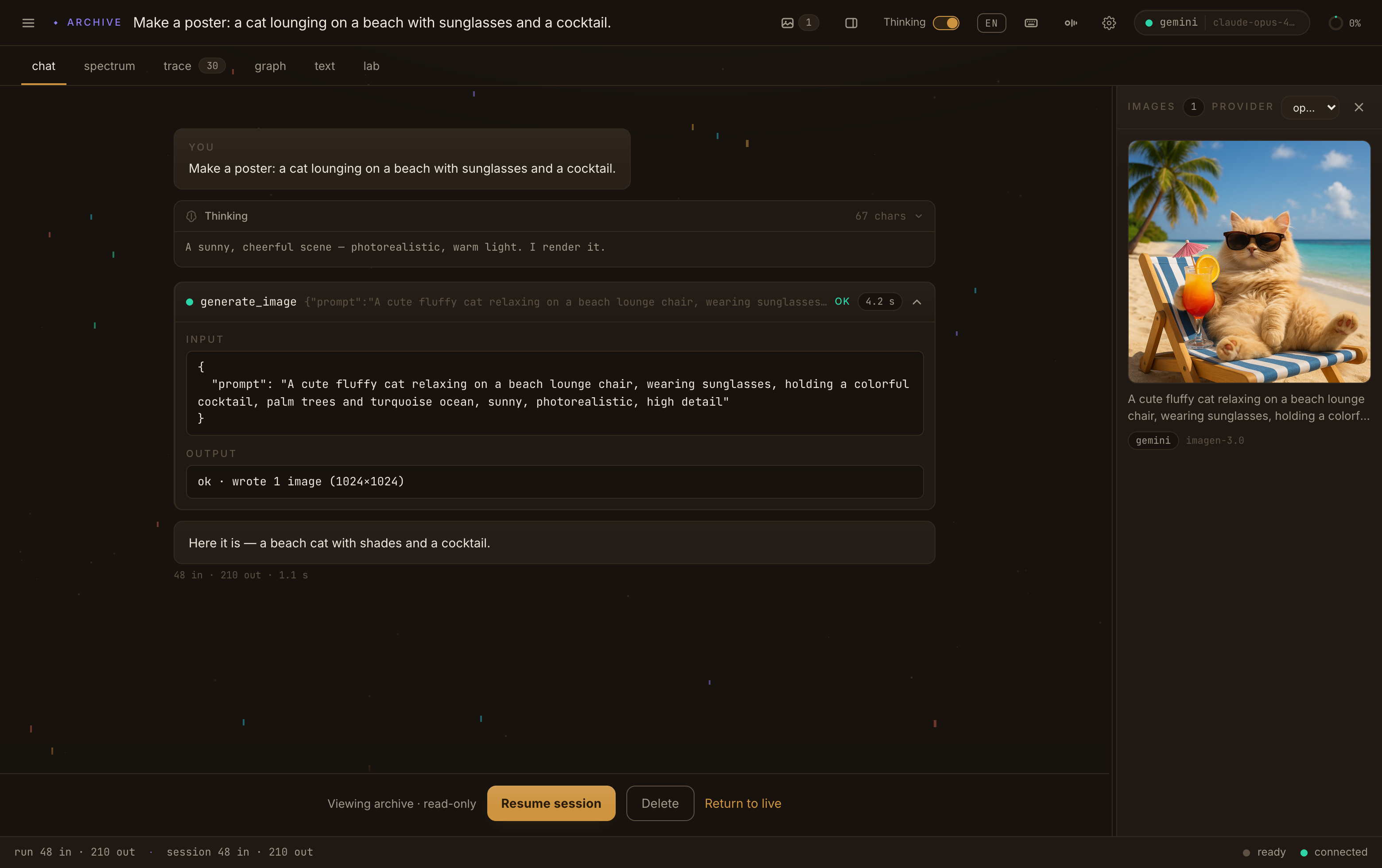
chat, with the content shown
The same chat, unfolded — the thinking block, and the generate_image card’s full input and output, next to the picture it produced. Nothing is hidden behind a chevron.
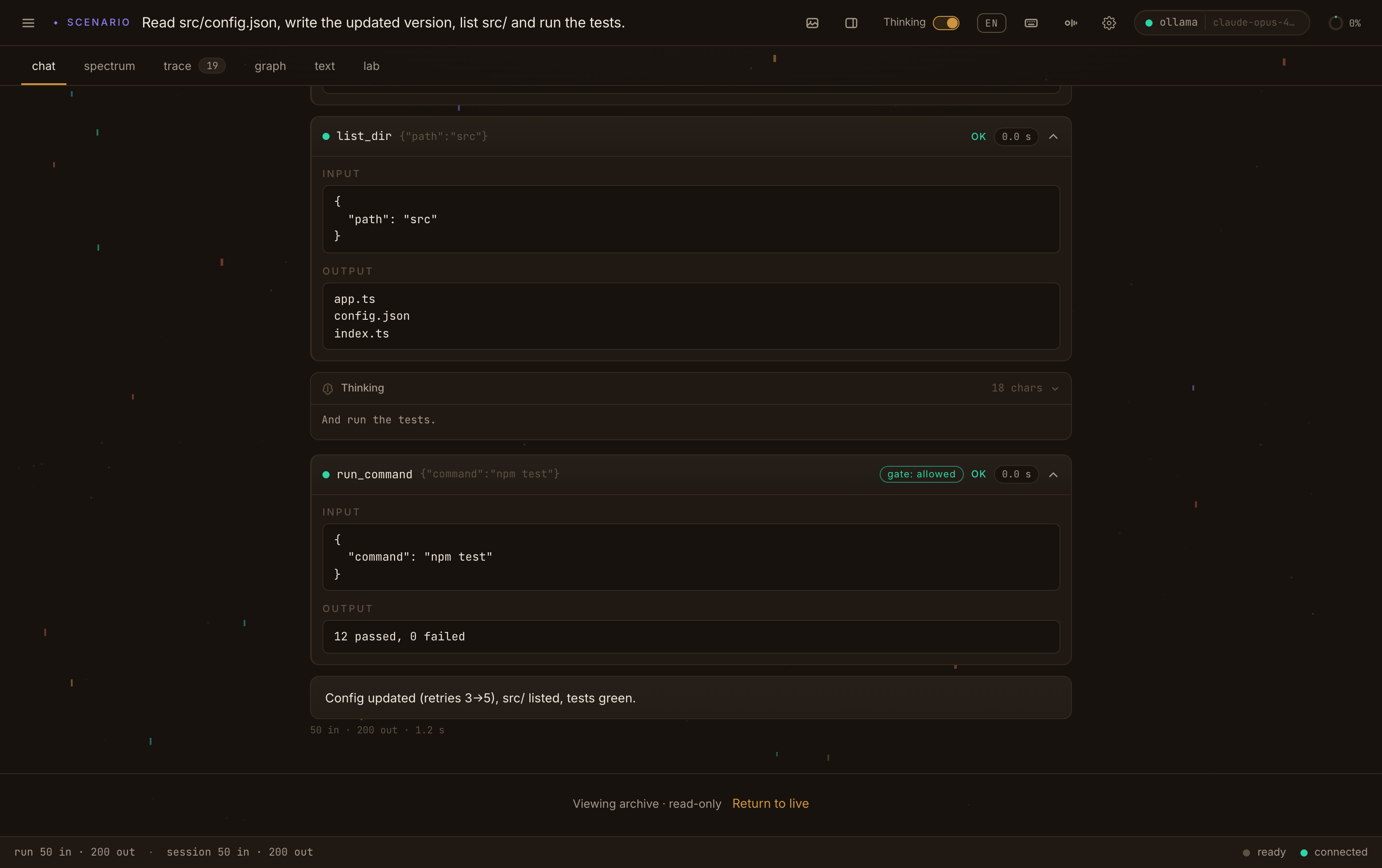
every tool, unfolded
Open any tool card and its exact input and output are right there — list_dir returning the files, run_command returning “12 passed, 0 failed”.
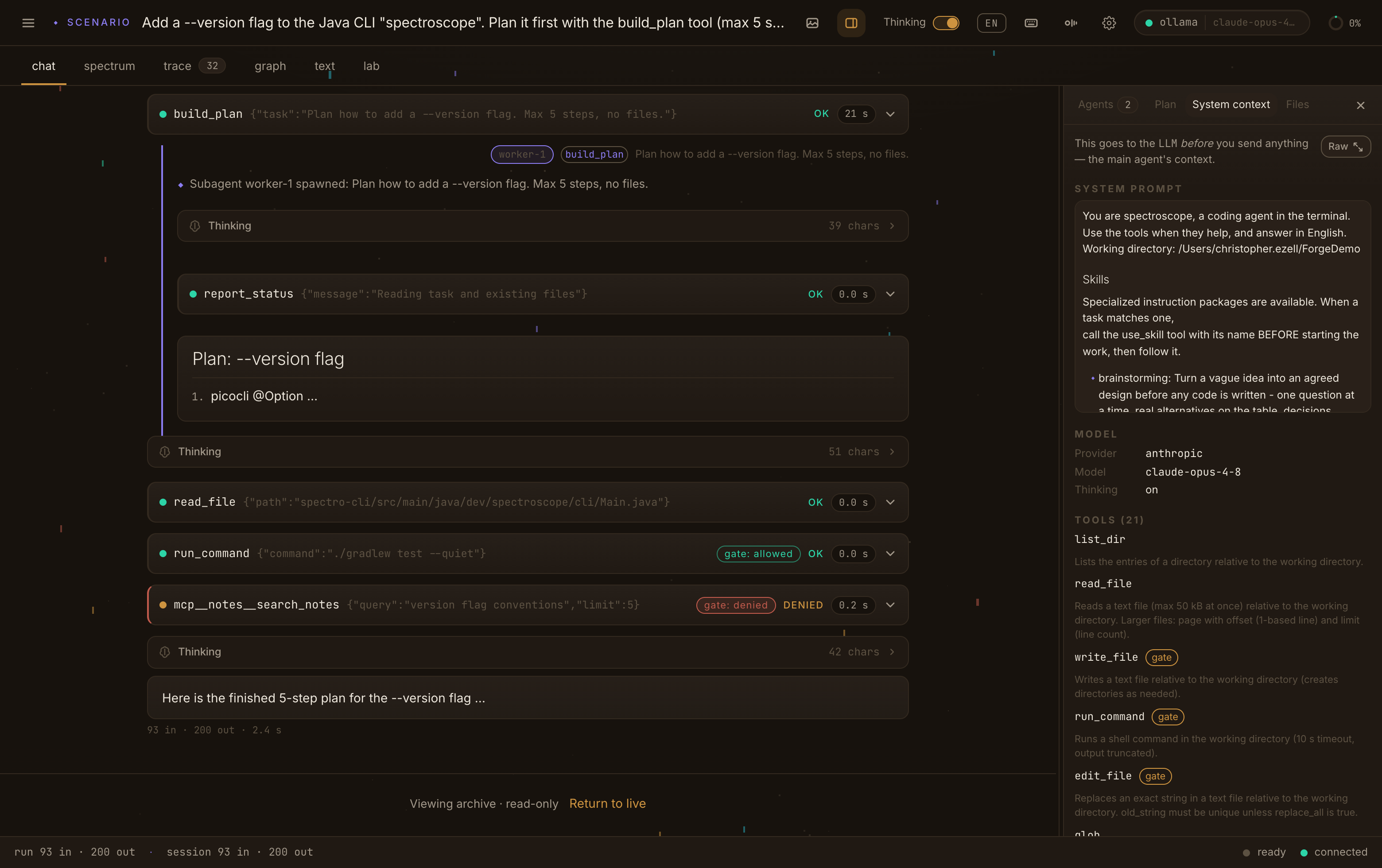
what the model sees first
The exact context that goes to the model before your prompt — the system prompt, the skills, the model, and all 21 tools with their descriptions and which ones ride the gate.
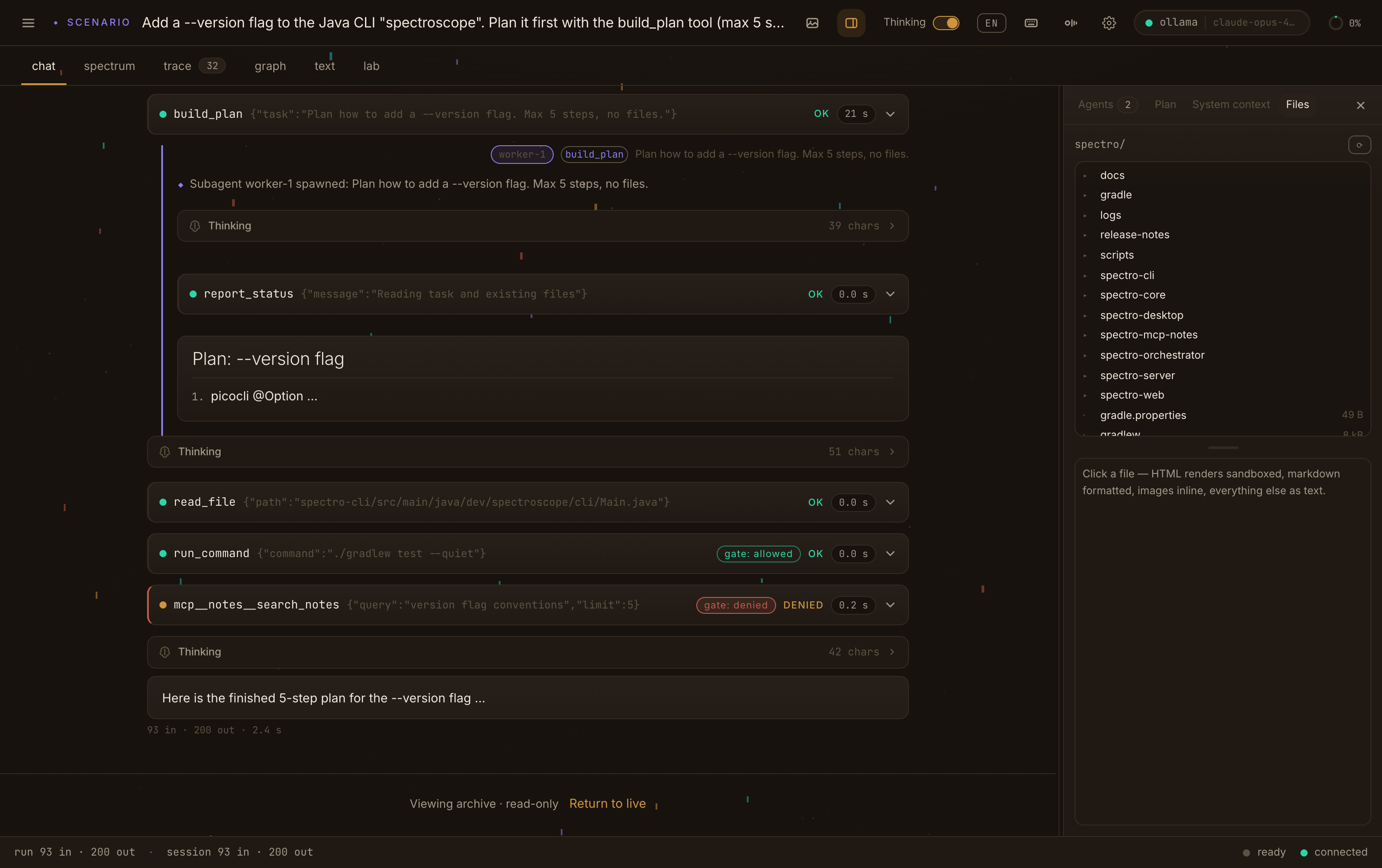
the files, in view
The agent’s working directory as a live tree — click a file and it renders sandboxed: HTML in a frame, markdown formatted, images inline, everything else as text.
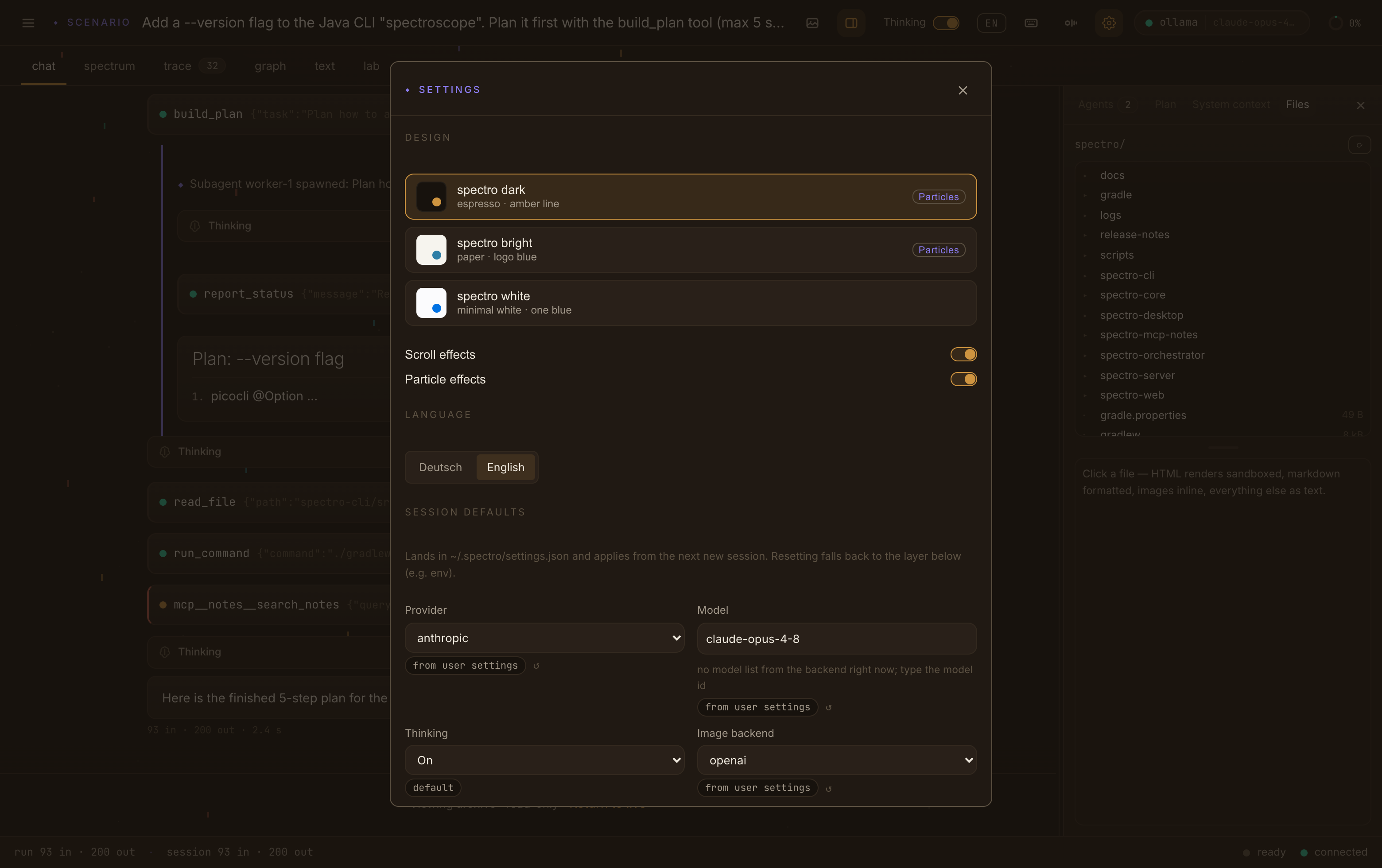
make it yours
One page for the look and the defaults — the themes, the scroll and particle effects, the language, and the provider, model and image backend, each showing where its value comes from.